Evidence Vanishes Fast
After a collision, several categories of evidence start degrading or becoming inaccessible within the first day. Vehicle condition changes when cars are moved, cleaned, or repaired. Digital recordings can be overwritten by loop storage. Witness memories shift, and contact details get lost. Even physical traces like paint transfer or debris can be removed by traffic control or cleanup crews.
“Within 24 hours” does not mean every item disappears overnight. It means the window for capturing the most direct, least-altered information is short. A dashcam clip may still exist at 10 hours, then vanish after the next few hundred minutes of driving. A photo taken at 2 a.m. with a low battery might be blurry by the time you try to upload it. The pattern is consistent: the longer you wait, the more the evidence becomes secondhand.
Main Evidence Loss Points
People often focus on the crash moment and ignore what happens immediately after. The first loss is usually scene context: lane position, skid marks, debris location, and traffic signals. If the car is towed and the scene is cleared, those details become harder to reconstruct from memory alone.
Vehicle systems also create a time dependency. Many cars store event data in modules such as the airbag control unit, but the data is not always accessible to owners. Some vehicles log crash-related information for a limited period, and service tools read it during diagnostics. If the car is repaired quickly, the physical components that would show damage patterns may be replaced before an inspection.
Digital evidence has its own failure modes. Dashcams and body cameras often use loop recording, which overwrites older footage when storage fills. Phone cameras compress files and can reduce quality when shared through messaging apps. Cloud sync can fail when the phone loses power or cellular coverage, and some apps pause uploads until Wi‑Fi returns. A small aside: on many dashcams, the “locked” clip feature depends on a button press or impact detection setting, and it rarely works the way the manual implies.
Witness evidence fades through availability, not just memory. People move on, change numbers, or decline follow-up requests. If you rely on a single witness who “will call you later,” you may lose the only person who saw the light change or the exact lane position. Police reports can help, but they reflect what was observed and documented at the time, not everything that happened.
What To Do In The First Day
Capture Scene And Vehicle
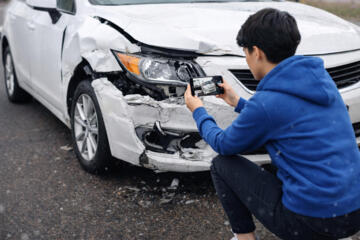
Take photos and short videos before moving anything. Include wide shots showing the intersection or roadway, then close-ups of damage, license plates, and any visible fluid or debris. Photograph both vehicles from multiple angles, including wheel alignment cues like tire scuffing and rim contact. If you can do it safely, capture the traffic signal state and road markings. A practical number: aim for 20–40 images plus 2–5 short clips, because you need redundancy when one file corrupts or uploads slowly.
Record a voice note with time stamps and a calm description of what you observed. Mention weather, lighting, and approximate speed if you can estimate it. If you use a phone, check storage and battery before you start; a full battery helps uploads later. If your dashcam has a “save/lock” button, press it immediately after the impact and verify the clip appears in the playback menu. On one common model line, firmware versions around 1.0.x changed how impact detection locks files, which can matter when you assume the clip is protected.
Preserve Digital Footage
Download dashcam footage to a computer or a phone storage folder rather than relying on cloud sync. If the dashcam uses a microSD card, remove the card carefully and store it in a case. Copy files using a card reader when possible; some phone adapters introduce connection errors. Keep the original file names and avoid re-encoding videos, since re-exporting can alter timestamps and compression artifacts.
For phone recordings, export the original file from the camera roll if your app allows it. Messaging apps often strip metadata and reduce resolution. If you use Google Photos or iCloud, confirm the upload completed before you leave the scene. A mild frustration: many people see the spinning icon and assume it finished, then discover the upload paused when the battery hit 20%.
Document Witness And Reports
Write down witness names, phone numbers, and a short statement of what they saw. Ask for the best time to contact them and whether they can provide a written statement. If police respond, request the report number and the agency name. In many jurisdictions, you can later obtain the full report through the police department or an online portal, but the process varies by state and country.
Also record your own timeline: when you called emergency services, when the tow arrived, and when the vehicles were moved. If you have a dashcam clip, note the approximate time range so you can match it to the police report narrative. A small aside from the field of paperwork: report numbers often look similar across agencies, so copying the exact format from the receipt helps later.
Coordinate Repairs Without Losing Clues
Tell the repair shop you need an inspection for insurance and potential claims. Ask for a written estimate that lists parts replaced and parts inspected. If you plan to dispute fault, request that the shop preserve damaged components for a short period. Some insurers require photos before repairs begin, so ask for a photo set that includes the pre-repair condition.
Be cautious with “quick fix” decisions. If you authorize repairs before an independent inspection, you may lose the ability to examine damage patterns. A realistic outcome target: aim to have your own photo set and digital footage secured the same day, then coordinate inspections within the next 1–3 business days.
Case Examples: Realistic Timelines
Intersection Crash With Loop Recording
A driver in a city intersection recorded the event on a front dashcam with loop storage. The impact triggered a clip, but the clip was not locked because the impact sensitivity setting was low. The driver took photos within 30 minutes, then drove home. After 18 hours, the dashcam storage filled and overwrote the earlier segment. The driver still had phone photos and a police report, but the exact approach speed and signal timing were harder to prove without the original continuous footage.
The lesson was not that dashcams fail, but that protection depends on settings and user actions. The driver later changed the dashcam to lock on impact and verified by checking the “protected” folder after each test.
Rear-End Collision And Repair Timing
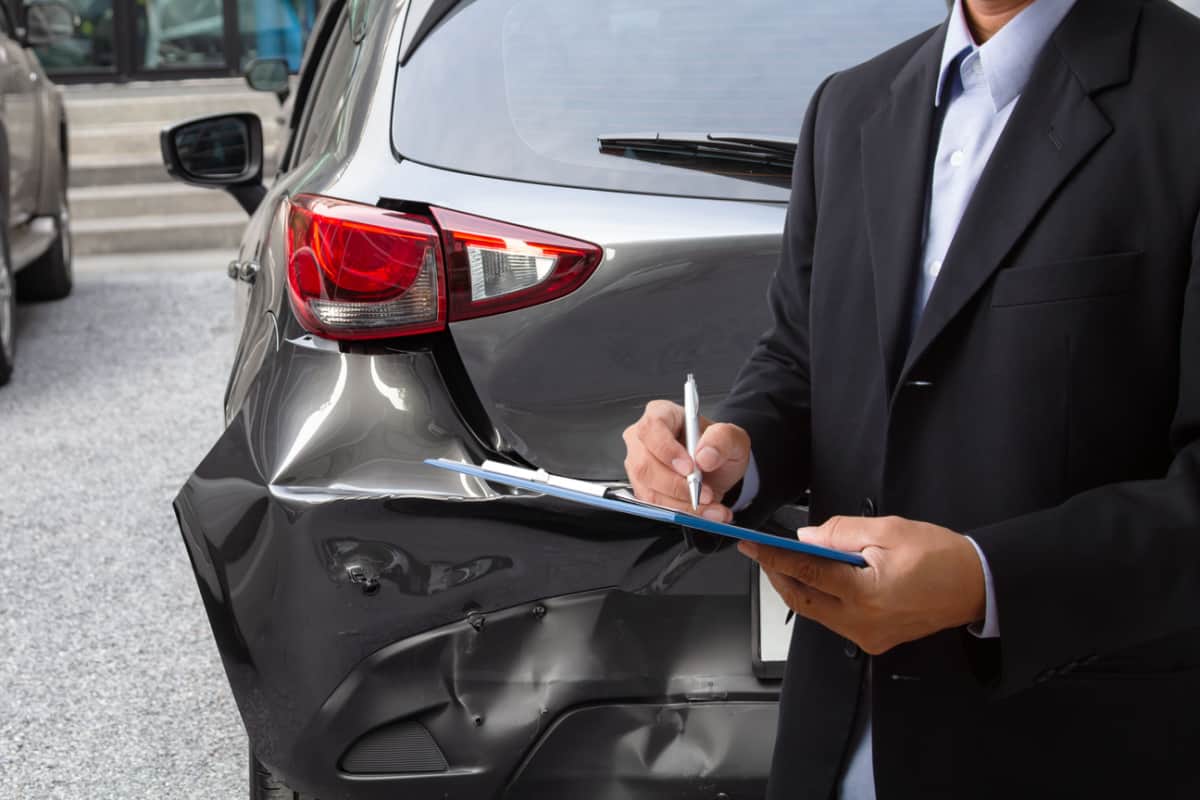
A passenger documented a rear-end collision with close-ups of bumper alignment and trunk latch area. The driver agreed to a same-day tow and authorized repairs the next morning. The repair shop replaced the bumper cover and fasteners, then discarded the damaged plastic components after the estimate was finalized. An insurer requested photos of the pre-repair condition, which the passenger had, but an independent inspection later could not examine the removed fasteners and deformation points.
The case shows how evidence can shift from physical parts to documentation. The photos and the repair estimate remained useful, but the missing components reduced the ability to evaluate certain damage-pattern claims.
Checklist For The First 24 Hours
| Evidence Type | What Disappears | Typical Time Window | Best Preservation Move |
|---|---|---|---|
| Scene photos | Debris, lane position, signal context | Hours to next cleanup | Wide + close shots before moving |
| Dashcam footage | Loop overwrite, unlocked clips | Same day | Lock clip and copy original files |
| Phone videos | Compression, missing originals | Same day to upload failure | Export originals; avoid re-sharing |
| Witness info | Lost contact, weaker memory | 1–7 days | Write statements and contact details |
| Repair parts | Removed components discarded | 1–14 days | Request preservation for inspection |
Step-by-step checklist you can follow without special tools: (1) Photograph the scene from wide to close. (2) Lock and copy dashcam footage. (3) Record a voice timeline. (4) Collect witness contact details and a one-sentence account. (5) Get the police report number if police respond. (6) Save repair estimates and ask what parts get replaced.
Common Mistakes That Cost Evidence
One frequent mistake is moving vehicles before documenting lane position and traffic signals. Even if the road is unsafe, you can often take photos first from a safe distance. Another mistake is assuming that “the dashcam saved it” without checking the protected folder or playback list. A third mistake is relying on social media posts as proof; platforms compress videos and remove metadata.
People also lose evidence by deleting files to free storage. Phone storage pressure can trigger automatic deletion or failed uploads. If you must free space, move files to a computer or external drive first. Another error is sharing footage with multiple apps that re-encode the video; the re-export can change timestamps and make it harder to match clips to the police report.
Finally, some drivers sign repair authorizations too quickly. If you want an inspection for insurance or dispute resolution, ask the shop to pause on irreversible steps until photos and documentation are complete. This approach reduces the chance that the only physical evidence becomes unavailable.
FAQ
How long do dashcam clips last?
Most dashcams use loop recording, so clips typically persist until storage fills and older segments get overwritten. The exact duration depends on storage size, video bitrate, and whether the clip is locked or protected.
Do police reports include all crash evidence?
Police reports summarize observations, statements, and basic scene details, but they do not capture every photo, video, or private witness account. Your own documentation often fills gaps, especially for signal timing and lane position.
Can I use phone recordings as evidence?
Phone recordings can help, but quality varies and metadata can change after sharing. Save the original file when possible and avoid re-exporting through messaging apps that compress the video.
Should I preserve damaged parts?
Preserving parts can help if an inspection is needed, but policies vary by insurer and repair shop. Ask the shop to retain removed components for a short period and document what was kept.
What if witnesses refuse to write statements?
Collect contact details and a brief written summary of what each witness said at the scene. If they later change their account, you still have a time-stamped record of the initial version.
Author's Insight
Evidence loss after a crash follows predictable mechanisms: physical traces get cleared, vehicles get repaired, and digital storage overwrites older segments. Dashcams and phones create the most time-sensitive risk because loop recording and upload failures can erase the most direct view of the event. Documentation habits matter more than legal theories during the first day.
For legal and insurance outcomes, the strongest practical approach is to preserve originals, record a timeline, and keep a clear chain of what you captured and when. Jurisdiction-specific rules affect what police reports contain and how insurers handle inspections, so readers should treat local procedures as the final authority.
Key Takeaways
- Plan for evidence decay: scene context, digital footage, and witness availability shift quickly after a crash.
- Capture wide-to-close photos, lock dashcam clips, and copy original files before storage overwrites them.
- Write a short timeline and collect witness contact details while people are still present.
- Coordinate repairs with documentation in mind so physical damage patterns do not disappear before inspection.