Evidence Vanishes Within 24 Hours
After a crash, many forms of evidence degrade quickly because of weather, traffic cleanup, device storage limits, and routine administrative processing. A scene that looks stable at 10:00 a.m. can look different by evening once tow trucks move vehicles, crews sweep debris, and rain or sun alters surfaces. Digital evidence follows a similar pattern: dashcams often overwrite older clips, and phones may sync or delete temporary files during normal use.
Within the first day, the most fragile items tend to be physical traces at the roadway and short-window digital recordings. Tire scuffs, fluid puddles, and small fragments can disappear after a single cleaning cycle or a change in lighting. Voice messages, call logs, and text threads can remain, but the context around them—timestamps, location signals, and media attachments—can become harder to reconstruct if you wait.
Even when evidence still exists, access can slow down. Police reports may take days, insurance investigations can request footage from third parties, and some camera systems keep only a limited rolling buffer. If you document early, you reduce the chance that later reconstructions rely on memory alone, which tends to drift.
Common Evidence Loss Traps
People often focus on what feels dramatic—injuries, damage, and blame—while underestimizing what disappears first: scene context and time ordering. A crash report may list “intersection” or “lane,” but it rarely captures the exact position of a vehicle relative to lane lines, signage, or curb cuts. Those details matter when multiple parties describe the same event differently.
Roadway evidence depends on conditions. Tire marks can fade as vehicles pass, as street sweepers run, or as rain spreads residue. Debris can be removed quickly when a road is reopened, and the “before” state of the scene can be lost even if the crash site remains the same location.
Digital evidence has its own failure modes. Dashcams commonly use loop recording; if the memory card fills, older segments get overwritten. Phone systems also behave predictably: apps may upload media to cloud storage, messaging apps may compress or reformat attachments, and location data can be limited by settings. A person who starts recording late may capture the aftermath but miss the approach, which is often the most informative segment.
Supporting technologies shape what survives. Many dashcams store clips in short segments and tag “events” when they detect impact; some models require manual protection to prevent overwriting. Traffic cameras and nearby business cameras vary widely in retention time, and access often depends on the jurisdiction and the request process. Insurance adjusters may request footage, but the request can arrive after the buffer has rotated.
One practical aside: a dashcam with firmware version 2.3.1 on a 64 GB card can still overwrite footage if the event protection setting is off or if the camera is configured to record at a high bitrate. Another aside from the field of consumer devices: many phones record “screen time” and “location history” only when specific permissions are enabled, which means the absence of data can reflect settings rather than events.
What To Do In The First Hours
Document The Scene Immediately
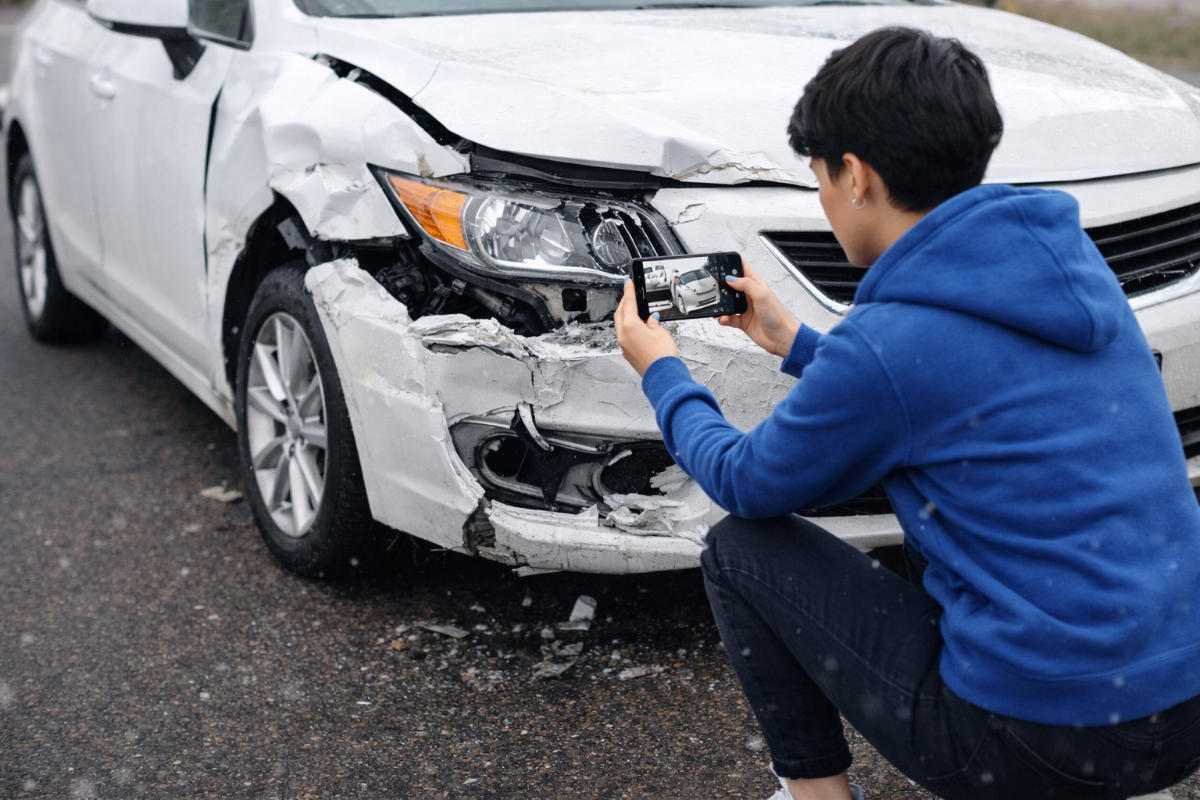
Start with wide shots that show the full intersection or roadway, then move to mid-range photos of each vehicle’s position, then close-ups of damage and any visible roadway markers. Capture lane lines, traffic signals, street signs, and nearby landmarks that remain stable over time. Take photos from multiple angles so later reviewers can infer relative positions even if one angle is blocked.
Record timestamps using the phone camera time and note the time you start and stop filming. If you can do so safely, include a short voice memo describing what you observed before you touched anything—road conditions, visibility, weather, and whether you saw a signal change. A voice memo often preserves a clearer timeline than written notes made later, which can drift.
If you have a dashcam, check whether it saved an “event” clip. Many systems show a protected file icon or a “locked” indicator, but some require you to press a button to mark the clip. If you can, copy the event file to a separate device before the camera continues recording.
Preserve Digital Records Without Editing
Do not delete messages, call logs, or photos that might relate to the crash. If your phone offers a “recently deleted” folder, leave it alone. For messaging apps, avoid clearing cache or reinstalling until you have exported or backed up relevant conversations.
For dashcams, remove the memory card and store it in a safe place if the device allows it without losing the protected clip. If you use a cloud-connected dashcam, download the event clip to local storage because cloud retention policies vary. Some dashcam apps show a “download” option; downloading early reduces the risk that the clip expires from the server.
One mild frustration: people often try to “clean up” their phone storage right after a crash, then discover that the only copy of a video was in a temporary folder. A safer approach is to keep the phone charged, avoid mass deletions, and back up the relevant files first.
Request Official Records Early
Ask for the police report number and the responding agency details. If the crash involved a highway, request the incident or case number used by the transportation authority. Many jurisdictions provide online status tracking for reports, but the report itself may take days.
Contact your insurer promptly and provide the report number when available. If you want third-party footage, ask the insurer or your attorney about the process for requesting it from property owners and traffic camera operators. Some systems require a formal request tied to a case number, and those requests can take time.
Keep a log of who you contacted, when you contacted them, and what they said. A simple spreadsheet with columns for date, agency, contact method, and reference number can prevent confusion later when multiple parties ask for the same documents.
Protect Yourself From “After-The-Fact” Confusion
Write down your recollection while it is fresh, but avoid guessing details you cannot confirm. Note what you saw, what you heard, and what you inferred. If you later remember a signal timing or a lane change, record it as “newly recalled” rather than rewriting the original statement.
For injuries, seek medical evaluation when symptoms appear or worsen. Even when you feel fine initially, delayed symptoms can occur; documenting the timeline supports medical care and later claims. Keep copies of visit summaries, discharge instructions, and prescriptions.
Do not sign documents you do not understand. Insurance paperwork can include releases or statements that affect later disputes. If you are unsure, ask for a copy to review and consider legal advice before agreeing to terms.
Case Examples With Realistic Constraints
Example 1: Dashcam Loop Overwrites
A commuter rear-ends another vehicle at 5:40 p.m. The driver’s dashcam records in 1-minute loops and auto-tags impact events. The driver checks the camera app at 7:30 p.m. and sees the event clip, but the “protected” setting is not enabled, so the clip later disappears when the card fills. The driver had not copied the file to a phone or computer.
In the next step, the driver requests the insurer’s guidance on obtaining the clip from the camera’s memory card. The insurer can only request what still exists. The driver’s early photos of brake lights, lane position, and the traffic signal state become the main visual evidence, while the missing dashcam clip limits the ability to confirm speed and exact timing.
Example 2: Scene Cleanup Removes Physical Traces
A cyclist is struck at a parking lot exit at 9:10 a.m. The rider takes a few close-up photos of the bicycle damage but does not photograph the exit markings or the curb ramp. By 2:00 p.m., a contractor sweeps the area and removes debris. The rider later tries to describe the exact location of the impact relative to a painted line, but the memory is less precise.
When the case moves forward, the police report references the general area, and a nearby store provides a short camera clip. The lack of wide-angle photos makes it harder to align the rider’s account with the store footage. The rider’s early voice memo helps, but it cannot replace the missing spatial context.
Evidence Checklist And Tradeoffs
| Evidence Type | Typical Disappearance Window | Best Early Action | Main Limitation |
|---|---|---|---|
| Roadway traces | Hours to 24 hours | Wide-to-close photos; note weather | Cleanup and rain erase details |
| Dashcam event clip | Minutes to days | Copy protected clip; remove card if needed | Loop overwrite if not protected |
| Phone media and messages | Days to weeks | Back up; avoid deletions or cache clears | Settings limit location and context |
| Police report | Days to weeks | Get report number; track status | May not include scene photos |
| Third-party video | Hours to 30 days | Request quickly with case number | Retention varies by owner and system |
Decision support rule: prioritize evidence that both (1) changes quickly and (2) is hard to recreate later. That usually means wide-scene photos, dashcam event files, and a written timeline captured early.
Common Mistakes That Reduce Credibility
People sometimes photograph only the damage and skip the scene layout. A close-up of a crumpled bumper does not show signal state, lane position, or whether debris came from the other vehicle. When you later compare accounts, the missing context forces everyone to rely on memory.
Another frequent mistake is altering digital files. Cropping a video to “make it shorter” can remove the timestamp or the approach sequence. Editing also creates questions about what changed. If you need to share, export the original file and share the copy without modifying the source.
Some drivers write statements that mix facts with assumptions, such as “the other driver must have been speeding.” A better approach is to describe observable details—distance, lane changes you saw, and the timing of signals—then let professionals interpret speed and causation.
People also forget to capture the basics: vehicle identification numbers, license plates, and contact details of witnesses. If a witness later becomes unreachable, the case loses a potentially direct account. A quick note with names and phone numbers can prevent that.
Finally, waiting to request footage from nearby businesses can waste the retention window. Many owners keep recordings for limited periods and overwrite them automatically. A short, early request tied to a case number often works better than a vague “can you send the video?” message.
FAQ
How long do dashcam clips usually last?
Many dashcams use loop recording, so clips can be overwritten within hours to days depending on card size, bitrate, and whether the impact clip is protected. Copy the event file to another device as soon as you confirm it saved.
What should I photograph at the crash scene?
Capture wide shots of the full roadway, lane markings, and signals, then mid-range shots of each vehicle’s position, then close-ups of damage and any roadway debris. Include at least one photo that shows a stable landmark for later orientation.
Will my phone location data survive the crash?
Location history depends on device settings, app permissions, and whether data syncs to cloud services. If location services were off or limited, the absence of data reflects settings rather than the event.
Can I request third-party video without a police report?
Some property owners share footage only after a case number exists, but others respond to a direct request. If you do not have a report number yet, ask what reference they require and submit the request again once you receive the case details.
What if the scene was cleaned before I arrived?
Use what remains: photos from witnesses, any store or traffic camera clips, the police report, and your own timeline notes. The goal shifts from reconstructing every physical trace to establishing time order and vehicle positions from surviving records.
Author's Insight
Evidence loss after a crash follows predictable mechanisms: physical traces get removed or altered, and digital systems overwrite older data when storage cycles. Dashcams and phones often retain “something,” but the most useful segment is frequently the one that gets overwritten first. A practical approach focuses on early, non-destructive documentation and copying event files before normal device behavior changes the record.
Because retention policies vary by device model, memory size, and settings, readers should check their own dashcam and phone configurations rather than relying on generic expectations. If you want a stronger record, capture wide-scene context and preserve original digital files without editing.
Key Takeaways
- Within 24 hours, roadway traces and dashcam loop recordings are the most time-sensitive evidence types.
- Photograph wide-to-close scene context, then copy dashcam event files before the camera overwrites them.
- Preserve phone media and messages without deleting, reinstalling, or clearing caches.
- Request official reports and third-party video using case numbers when available, and track every contact.
- A credible timeline separates observed facts from assumptions and avoids editing digital evidence.