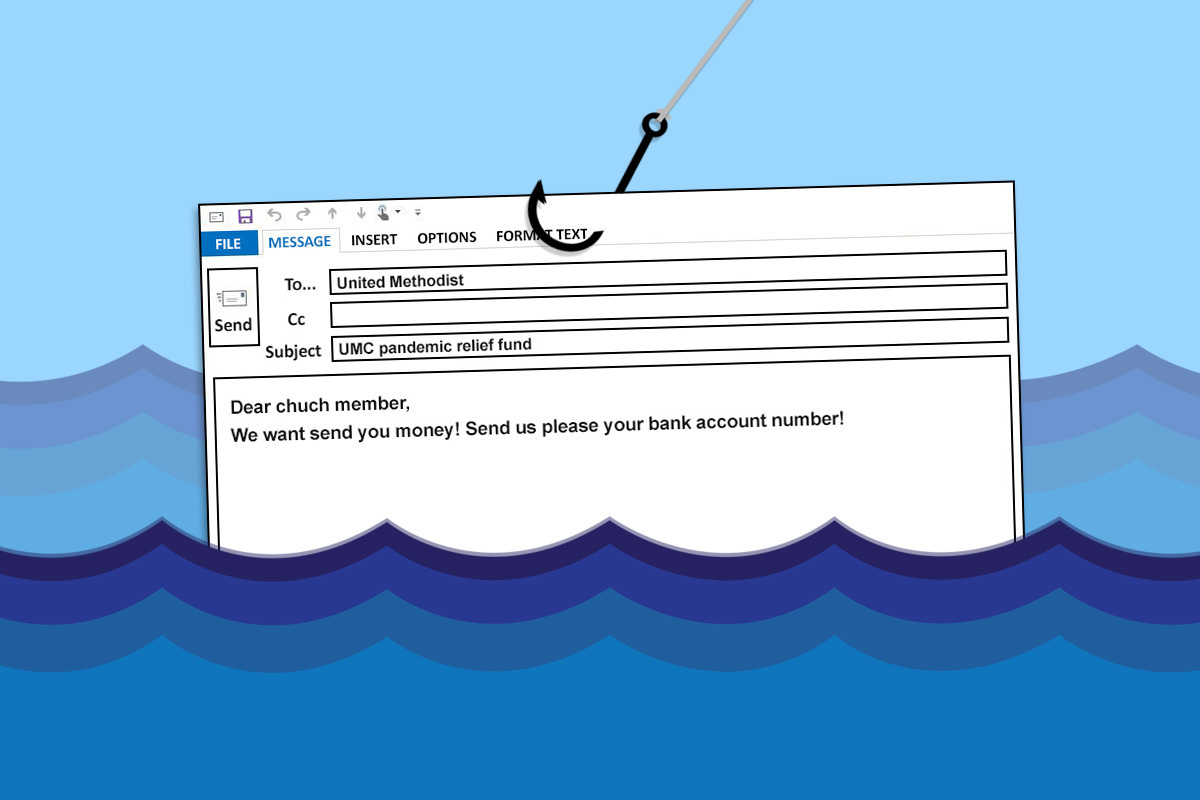
Learning Phishing Risks
Phishing scams trick you into sharing personal info or clicking harmful links by pretending to be trustworthy. Fake emails mimicking banks or services like Netflix are common. In 2023, phishing attacks rose 15% globally, targeting individuals and businesses alike. These scams often exploit urgency or fear, making you act without checking the source carefully.
A simple example: an email seemingly from your bank asks you to ""verify account info"" by clicking a link that looks official, but it leads to a counterfeit site. Once you enter credentials, the attacker gains access. This is how many lose data or money fast.
Problems After Being Scammed
People often underestimate the damage after the scam. They think avoiding future emails solves the problem. The real risk is ongoing theft or account misuse if credentials leak. Scammers can drain bank accounts, steal identities, or send spam from your email.
Ignoring a compromised email account means attackers may reset passwords on other services. If your credit card data leaked, fraudulent charges can appear weeks later. An Uber account takeover is not rare either, allowing rides billed to your card.
Delays in response worsen outcomes. One study found victims who notified banks within 24 hours recovered 85% of stolen funds, versus less than 30% after a week.
Steps to Take Immediately
Change All Passwords Right Away
Start by changing the password on the compromised account and other places using the same or similar passwords. Use a strong, unique password for each login. Password managers like Bitwarden or 1Password help generate and store strong passwords securely.
Quick action blocks attackers if they try to re-enter. Many breaches happen because people reuse passwords — a costly habit.
Enable Two-Factor Authentication
Two-factor authentication (2FA) adds a security layer by requiring a second code, often via an app like Google Authenticator or a hardware key such as YubiKey. With 2FA, even stolen passwords alone won’t give access. This step alone has slowed 99.9% of automated hacking attempts on Google accounts since 2019.
Notify Financial Institutions Fast
Call your bank or credit card company immediately to report possible fraud. Ask to freeze or cancel cards if suspicious transactions appear. Banks track unusual activity by IP, location, or spending patterns, which helps block further theft. Follow up in writing for records. Use direct numbers, not contact info found in suspicious messages.
Scan Devices for Malware
Phishing often delivers malware. Run a full system scan with trusted tools such as Malwarebytes or Windows Defender, updated to the latest engine version (noticed many false positives fixed in v4.5.10). Remove detected threats before continuing. Scanning reveals hidden keyloggers or remote access tools that steal ongoing data.
Report the Incident to Authorities
File a report with agencies like the FTC (in the US) or your country’s equivalent consumer protection office. Online forms guide you through details that help track and stop scam waves. Some cases may warrant police involvement, especially if identity theft follows.
Check Credit Reports for Unusual Activity
Regularly review credit reports and set up alerts for new accounts opened in your name. Services such as Experian, Equifax, and TransUnion offer free reports at least once per year. Catching fraud early prevents long-term damage. In 2023, 30% of identity theft victims detected issues through credit monitoring.
Secure Email and Social Media Accounts
Scan sent items and notifications on your email and social platforms for unauthorized messages. Inform contacts not to open suspicious mails coming from you. Change connected app passwords and revoke risky third-party app access in settings. Attackers sometimes use hijacked email to fake requests or scams on your connections.
Use a Dedicated Phishing Identification Tool
Extensions like Web of Trust (WOT) or VirusTotal let you verify suspicious URLs before clicking. Google’s Safe Browsing also warns users in Chrome and Firefox about malicious links. These tools reduce repeat victimization.
Backup Critical Data
After removing malware and changing credentials, backup important files on a disconnected storage device. If you skip this step and ransomware hits later, recovery grows costly or impossible. Personal note: I use a Synology NAS for encrypted backups, which helped once after an attack.
Real Recovery Stories
A mid-sized marketing firm lost $120,000 after a phishing email tricked their CFO to wire funds. Immediate detection led to a freeze and partial recovery of $80,000 within 48 hours—a reminder that speed matters. They implemented MFA and security training based on that breach.
Another case involved a freelancer in London who gave login details to a fake Dropbox site and noticed suspicious payment charges on their card two days later. They canceled cards, alerted their bank, and identified malware on their PC. The whole ordeal took about 10 days to resolve, highlighting the need for thorough device checks.
Recovery Checklist
| Step | Action | Tools | Expected Result |
|---|---|---|---|
| 1 | Change passwords | Bitwarden, 1Password | Block attacker access |
| 2 | Activate 2FA | Google Authenticator, YubiKey | Add login security |
| 3 | Notify bank | Direct bank line | Freeze accounts |
| 4 | Scan devices | Malwarebytes, Defender | Remove malware |
| 5 | Report scam | FTC, police | Prevent wider harm |
| 6 | Monitor credit | Experian, Equifax | Detect fraud early |
| 7 | Secure social media | Platform settings | Prevent spam sending |
| 8 | Check links with tools | WOT, VirusTotal | Avoid future scams |
| 9 | Backup data | External drive, NAS | Recover if attacked |
Things People Often Miss
Ignoring odd activity signs like unfamiliar password reset emails is a common slip. Some avoid reporting because of embarrassment or skepticism about law enforcement backing — a mistake that prolongs harm.
Another error is delaying password changes or relying on email “undo” features that most providers don’t offer. Scammers have seconds' window once data leaks. Acting late is a one-way ticket to prolonged troubles.
Using public Wi-Fi during incident recovery risks eavesdropping; use a VPN service as a safer alternative.
FAQ
How fast should I act?
Within hours if you realize your details leaked. The sooner, the greater your chances to limit losses.
Can antivirus stop phishing?
Antivirus helps detect some malware but won’t stop fake emails or deceptive sites fully.
What if fraud already happened?
Report to your bank, freeze accounts, and dispute unauthorized charges promptly.
Is password change enough?
No, also scan devices, enable 2FA, and review connected accounts for unusual access.
Should I inform contacts?
Yes, attackers may use your identity to scam others, so warning friends and coworkers is smart.
Author's Insight
In my decade handling data breaches and phishing cases, the worst moments come when victims delay. I’ve seen clients lose thousands because they hesitated to reset passwords or notify banks. Simple steps—especially activating two-factor auth—often stop attackers cold. One detail many skip: reviewing app permissions on their email or social accounts, which can silently leak info. The best defense is swift, methodical response and continuous vigilance.
Key Points
You must act immediately if caught by phishing—change passwords, enable 2FA, alert financial institutions, scan for malware, and report the event. Continuous monitoring and securing connected accounts reduce fallout. Delays mean attackers multiply damage. Use specialized tools and established services for safe recovery. Bulletproof your online presence by staying alert after an incident because the risk rarely disappears on its own.