Phishing URLs In The Bar
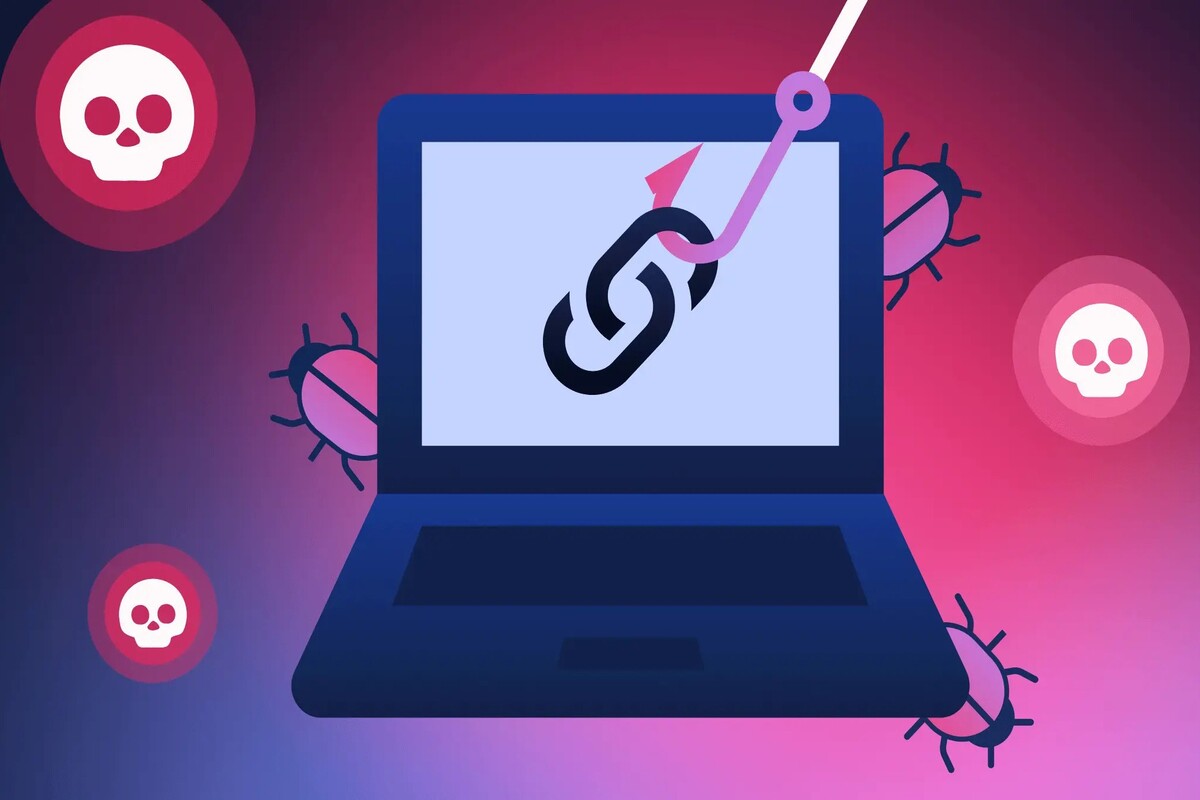
Phishing URLs try to look like a trusted site while routing you to a different destination. The address bar often contains the evidence, but the evidence is easy to miss when the link text looks familiar. A common example: an email message shows “Verify your account,” while the actual URL includes a lookalike domain or an extra path that changes where the browser lands. Health-related workflows add pressure because people log in quickly for prescriptions, billing, or appointment changes.
Browsers also vary in how they display URLs, so the same link can look different across Chrome, Safari, and Firefox. Some mobile browsers hide parts of the URL until you tap, which makes the address bar less readable. Still, the URL string follows rules, and those rules create repeatable clues. If you learn those clues, you can slow down just enough to check the destination before typing anything.
What People Get Wrong
People often judge a link by the clickable label, not by the URL that the browser actually loads. Email clients can show a friendly name while the underlying href points elsewhere. Another frequent mistake is trusting the domain shown at the start of the string, even when the string contains additional host-like text later. Attackers also use URL encoding and punctuation to make the “real” host hard to see.
Phishing depends on supporting technologies that make deception easier. URL shorteners can mask the final destination, and redirect chains can move you through multiple domains before the landing page loads. Many sites use content delivery networks and tracking parameters, so long URLs are not automatically malicious. The risk comes from mismatches: a trusted brand name appears, but the registrable domain and host do not match what you expect.
Some scams also rely on browser behaviors. If a page uses JavaScript to rewrite content after load, the visible text can change while the address bar stays misleading. In other cases, the attacker uses a form that posts credentials to a different endpoint on the same page. That means “the page looks right” does not protect you.
Solutions And Advice
Check The Registrable Domain
Start with the registrable domain, not the leftmost text. For example, “support.example.com” has the registrable domain “example.com,” while “example.com.evil.co” has the registrable domain “evil.co.” Look for extra words that sit next to the domain, like “secure,” “login,” or “verify,” and ask whether those words are part of the actual host. In practice, you can copy the URL into a text editor and remove everything after the first slash to see the host more clearly.
If you want a quick tool-based check, use a URL expander or “safe browsing” lookup in your browser settings. Google Safe Browsing and Microsoft Defender SmartScreen both flag known malicious URLs, but they do not catch every new phishing site. On my own testing, Chrome 129 showed a warning for known-bad URLs within seconds, while a brand-new lookalike sometimes loaded until the warning database updated.
Spot Subdomain And Path Tricks
Attackers often hide the real host inside a subdomain-like pattern. A URL such as “https://login.bank.example.com@evil.co/” uses the “@” character to confuse what you see. The browser still resolves the host after the last “@” in most URL parsing rules, so the visible “login.bank.example.com” can be a decoy. Another pattern uses path segments to mimic a trusted route, like “/accounts/verify” appended to an unrelated domain.
When you see a long path, check whether the path contains a second domain-like string. A URL like “https://evil.co/https://trusted-site.com/login” often signals a redirect or a script that fetches content from elsewhere. This is not proof by itself, but it is a strong clue when paired with a mismatched host.
Watch For Encoding And Punycode
URL encoding can hide characters that change meaning. Percent-encoding such as “%2e” (.) and “%40” (@) can make a host look normal while it parses differently. Punycode is another tell for internationalized domain names: a domain containing “xn--” often indicates non-ASCII characters. Look for “xn--” combined with a brand-like spelling, because that pairing is common in lookalike domains.
Browsers vary in how they display punycode versus the decoded form. If the decoded form looks like a brand name but the underlying host contains “xn--,” treat it as suspicious until you verify the registrable domain. A small aside: in Firefox 130, the address bar sometimes shows the decoded Unicode form, while the status details reveal the punycode string.
Verify With A Safe Navigation Habit
Use a habit that removes the email link from the decision. Instead of clicking, open a new tab and type the known domain for the organization, then navigate to the login page from there. If the message claims an urgent billing change, check your account by visiting the official site directly and comparing the message details with what you see after login. This habit costs time, but it blocks the most common phishing path: the attacker controls the first navigation.
If you already clicked, do not enter credentials on the page. Close the tab, then check your account through the official site. For extra safety, review recent sign-in activity if the service offers it. Many services show device and location metadata, which helps you spot a session you did not start.
Six Address-Bar Clues To Learn
Use these clues as a checklist, not as a single yes/no test. Phishers sometimes get one clue wrong, and legitimate sites sometimes trigger one clue due to redirects or tracking. The pattern across multiple clues matters.
- Mismatch between displayed brand and registrable domain: the host ends in a different registrable domain than the organization you expect.
- Lookalike domains with extra characters: “examp1e.com” or “example-secure.com” instead of “example.com.”
- Suspicious “@” usage: text before “@” looks meaningful, but the real host appears after it.
- Encoded punctuation: percent-encoded dots or slashes that change how the host is parsed.
- Punycode markers: “xn--” appears in the domain, often paired with brand-like spelling.
- Redirect or embedded URL strings: the path contains another domain-like string or long redirect parameters.
When you see two or three of these together, the odds shift sharply toward phishing. When you see only one clue, verification through safe navigation becomes the deciding step.
Case Examples
Example 1: Patient portal login link. A message claims “Your appointment confirmation is ready.” The clickable label reads “Clinic Portal,” but the address bar shows a host like “clinic-portal.example-support.com” while the clinic’s real domain is “clinicportal.com.” The URL also includes a path segment “/login/verify” that matches the message wording. The user closes the tab, types the clinic’s known domain into a new tab, and finds the appointment details without entering credentials on the suspicious page.
Example 2: Billing email with redirect parameters. An email says “Payment failed, update your card.” The address bar begins with a domain that looks similar to the billing provider, but the path contains a long query string with a second domain-like value. The user copies the URL into a text editor and removes everything after the first slash to inspect the host. The registrable domain does not match the provider’s known domain, so the user navigates to the billing page by typing the provider’s domain directly and checking the invoice history.
Checklist For Quick Decisions
| Address-Bar Clue | What To Look For | Why It Matters | What To Do |
|---|---|---|---|
| Domain Mismatch | Registrable domain differs from the real organization | Brand text can be faked while host routing changes | Open official site by typing the domain |
| Lookalike Characters | Extra letters, swapped digits, missing hyphens | Typo-squatting captures distracted clicks | Compare against saved bookmarks or known domain |
| “@” In URL | Text before @ appears meaningful | Parsing often uses the part after the last @ | Treat as suspicious and avoid entering credentials |
| Encoded Characters | %2e, %2f, %40 inside the host area | Encoding can change what the browser interprets | Inspect the host by copying into a text editor |
| Punycode | Domain contains xn-- | Often used for lookalike internationalized domains | Verify the registrable domain before trusting |
| Embedded Redirects | Path includes another domain-like string | Redirect chains can land on a different site | Navigate directly to the official page |
- Read the host portion of the URL, not the link label.
- Identify the registrable domain and compare it to a known good domain.
- Check for “@”, percent-encoding in the host, and “xn--”.
- Scan the path for a second domain-like string or heavy redirect parameters.
- If two clues appear together, stop and navigate via the official site.
Common Mistakes To Avoid
People often assume HTTPS means safety. Attackers can obtain TLS certificates for lookalike domains, so the lock icon does not confirm the destination. Another mistake is trusting a browser warning that appears after the page loads; some phishing pages load enough to capture input before a warning triggers. A third error is clicking “learn more” or “view details” buttons inside the email, which still routes through the attacker’s link.
Some users rely on URL shorteners without expanding them. Short links can hide the final domain, and the expanded destination can change over time. If a message uses a short link, expand it in a safe way or avoid it by navigating directly. Also watch for “helpful” copywriting: “Your secure link expires in 10 minutes” can push rushed behavior, and rushing is where address-bar checks fail.
Finally, people sometimes report phishing by clicking the “report” link inside the same message. That can send you back into the attacker’s domain. Use your email provider’s built-in phishing reporting button or report from the message menu, not from a link embedded in the email.
FAQ
Do I need to check the full URL?
Check the host and registrable domain first, then scan the path for embedded domain-like strings or heavy redirect parameters. The full URL matters when encoding or redirects appear in the host area.
Can a phishing URL use HTTPS?
Yes. TLS protects the connection to the host you reached, not the identity of that host. Lookalike domains can still present valid certificates.
What does “xn--” mean in a domain?
It indicates punycode for an internationalized domain name. Phishers use it to create lookalike spellings, so verify the registrable domain before trusting the page.
How do I handle links on mobile?
Tap and hold to reveal the destination when your browser supports it, or copy the link text into a notes app to inspect the host. Mobile browsers often hide parts of the URL until you interact.
What should I do if I entered credentials?
Stop using the account, change the password from the official site, and review recent sign-ins. If the service supports it, enable multi-factor authentication and contact the organization’s support channel.
Author's Insight
Address-bar phishing works because URL parsing rules are consistent while human attention is not. The most reliable checks focus on the registrable domain and on parsing traps like “@” and percent-encoding. Tools such as safe browsing lists and browser warnings reduce risk for known bad URLs, but they do not cover every new phishing site. A practical approach combines manual host inspection with a navigation habit that bypasses email links.
For readers handling health-related logins, the cost of a slow check is usually lower than the cost of a credential compromise. If you want a measurable routine, use a two-step rule: verify the registrable domain, then navigate by typing the official domain if anything looks off. That rule works even when the email message looks urgent or familiar.
Key Takeaways
- Judge the destination by the host and registrable domain, not the clickable label.
- Watch for “@” tricks, percent-encoding in the host, and punycode (“xn--”).
- HTTPS and a lock icon do not confirm the site identity.
- When multiple clues appear, navigate to the official site by typing the known domain.
- If credentials were entered, change the password from the official site and review sign-in activity.